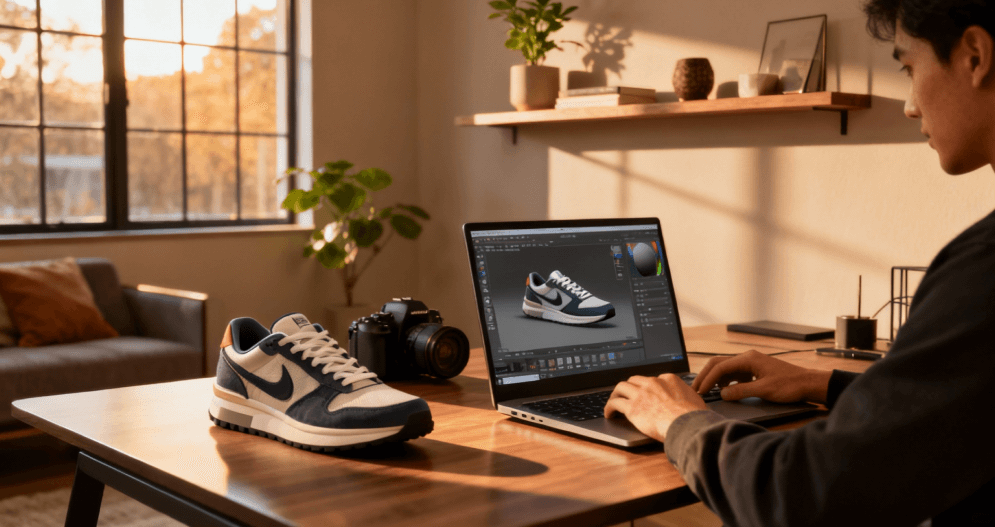
In digital design, nothing limits creativity more than being stuck in two dimensions. Every designer, engineer, or artist has experienced it, that moment when a brilliant idea exists only as a flat drawing or a single photo. That’s where 2D to 3D image conversion software changes everything. With the right tools, you can turn an image into a tangible three-dimensional model, ready for product visualization, animation, or even printing. RealityMAX simplifies that process so that anyone can bring static pictures to life in just a few clicks.
What is 2D to 3D image conversion software?
2D to 3D image conversion software enables users to transform flat, two-dimensional images into interactive 3D models. Instead of manually modeling shapes from scratch, you can simply upload a single image or multiple images, and the software uses advanced algorithms to add depth, volume, and spatial relationships. The process bridges the gap between conceptual drawings and fully realized digital objects. For product designers, this means faster prototyping; for artists, it means more freedom to experiment visually.
How does image to 3D conversion work?
Behind the simplicity of dragging and uploading images lies a complex process powered by AI. The software interprets the light, shadow, and perspective in a 2D image to infer depth and structure. It builds a virtual mesh, defining how each pixel relates to others in three dimensions. Then it textures and maps the surface to create a lifelike model. Modern image to 3D tools like RealityMAX automate this entire sequence with precision, making it possible to generate STL files or other supported file formats with remarkable accuracy.

Why is 2D to 3D technology revolutionizing product design?
For decades, turning a sketch into a 3D prototype required specialized modeling skills. Now, with 2D to 3D image conversion software, designers can accelerate their workflow dramatically. Instead of spending hours sculpting in CAD, you can upload photos and convert them into models within minutes. The ability to generate detailed objects from a single image gives product designers an unprecedented advantage, more time for creativity, less time on repetitive modeling.
What makes RealityMAX different from other design tools?
RealityMAX is not traditional software that you need to install. It’s fully web-based, designed to work on any computer, whether Windows or Mac OS. It supports multiple file formats, from PNG and JPG to STL and OBJ, and it processes uploaded images directly in the browser. Users can visualize three-dimensional models instantly, edit materials, and even view them in augmented reality. This combination of functionality and speed makes RealityMAX one of the most user-friendly 2D to 3D conversion tools available today.
How can designers create models from images in just a few clicks?
RealityMAX was built for simplicity. You start by uploading a 2D image, it could be a photo, a concept sketch, or a technical drawing. The platform’s AI interprets the image and converts it into a three-dimensional mesh. Within seconds, users can rotate, scale, or refine the model. The system automatically adjusts the proportions and resolution to match the original file size, ensuring that every detail translates accurately into 3D space.
Which industries benefit most from 2D to 3D image conversion?
The potential applications extend far beyond digital art. Product design, engineering, education, and e-commerce all rely on visuals that show real depth. Manufacturers use converted 3D models for rapid prototyping and printing. Marketing teams create photorealistic scenes for product launches. Educators use the models to teach spatial relationships and design principles interactively. Even animation studios and game developers employ this technology to build environments and characters from concept art.
How does AI improve accuracy and detail in 3D conversion?
Traditional modeling depends on manual interpretation, but AI-powered 2D to 3D image conversion software analyzes data at pixel level. It detects subtle variations in texture and lighting, using deep learning to predict how objects should look in three dimensions. The result is a model that feels organic and accurate. RealityMAX’s advanced algorithms can even infer hidden geometry, filling in missing parts of an object that are not visible in the original image.
What are the main steps to convert images into 3D models?
- Upload your image. Use the image drag function to upload from your computer or mobile device.
- AI analysis. The system evaluates colors, edges, and depth cues.
- Mesh creation. It generates a 3D mesh defining object shape.
- Texture mapping. The software wraps the original image around the model for realistic visuals.
- Export and use. Finally, download your 3D model as STL or other supported file formats.
Each step happens automatically in RealityMAX, but users still maintain full control over settings like scale, lighting, and materials.
What makes a good 2D image for 3D conversion?
The better the input, the better the output. High-resolution photos with clear contrast and visible edges help the software understand spatial depth. Avoid blurred or low-light images, as they reduce accuracy. Designers often use orthographic sketches, product photos, or technical drawings as input. RealityMAX’s AI compensates for imperfections, but providing clean reference images ensures the best results when you convert 2D pictures into 3D models.
Can I use a single image or multiple images?
You can achieve great results even from a single image. However, using multiple images taken from different angles improves accuracy and provides more context for the AI to reconstruct shapes. For complex designs or engineering components, multiple reference photos help preserve precise dimensions and detail. RealityMAX gives you the flexibility to choose whichever method fits your workflow.
What file formats and systems are supported?
RealityMAX supports the most common image and 3D model file formats, including PNG, JPG, STL, and OBJ. It’s compatible with major operating systems such as Windows and Mac OS and runs directly in any modern browser. Since there’s no need to download or install anything, users can work on projects from any device with internet access.
How do product designers benefit from this technology?
Product designers often move between sketches, renders, and prototypes. 2D to 3D image conversion software simplifies that transition. Instead of outsourcing modeling tasks, they can upload their drawings and generate accurate digital models instantly. It enables faster iteration cycles, better client presentations, and smoother integration with 3D printing workflows. For designers exploring new concepts, the ability to visualize ideas in three dimensions boosts creativity and confidence.
What is the role of free credits in exploring RealityMAX?
RealityMAX offers free credits so that new users can test the platform before committing. You can convert a few images, experiment with settings, and preview models without any cost. It’s an ideal way for beginners to experience the software’s capabilities and for professionals to evaluate its accuracy and speed before using it for commercial projects.
How does RealityMAX handle large file sizes and complex objects?
The platform is optimized for performance. It processes large image files and generates detailed meshes quickly without compromising quality. Advanced compression ensures that models maintain accuracy while staying lightweight enough for real-time visualization. Users can adjust settings to balance resolution and performance depending on their design goals.
Can converted models be used for animation and videos?
Absolutely. Once a 2D image has been converted into a 3D model, it can be animated, textured, and rendered for use in videos or interactive scenes. RealityMAX allows users to preview movement and lighting changes directly in the browser. Whether for product demos, social media clips, or digital storytelling, these models bring static images to life through animation.

How does RealityMAX add depth and realism to designs?
Depth perception is crucial for realism. The software analyzes shadows and highlights to infer how far each pixel should extend into space. It then generates accurate geometry and applies realistic materials to enhance visual impact. By simulating natural light, the model gains dimension and presence, turning a 2D photo into a believable object that feels real.
What are the advantages over manual modeling?
Manual modeling remains essential for fine details, but automated conversion drastically reduces production time. With RealityMAX, designers can go from concept to prototype in minutes. There’s no need to learn complex CAD systems or spend hours adjusting vertices. The AI does the heavy lifting, allowing creators to focus on design rather than technical execution.
Can converted models be used for 3D printing?
Yes. RealityMAX supports export to standard formats like STL, which are compatible with most 3D printers. Designers can refine the model in any CAD program or send it directly to a printer. The accuracy of the mesh ensures smooth surfaces and correct dimensions, making it ideal for rapid prototyping or final product fabrication.

How does 2D to 3D software improve collaboration?
When design teams work remotely, sharing 3D models online becomes essential. RealityMAX lets users create and share scenes that clients and teammates can view in real time. Because everything runs in the browser, there are no compatibility issues or installation barriers. This level of accessibility enhances collaboration and speeds up decision-making.
What role do materials and lighting play in 3D visualization?
Once a 3D model is generated, materials and lighting define its final appearance. RealityMAX includes intuitive design tools that allow users to apply textures, change surface finishes, and simulate real-world illumination. These visual refinements are not just cosmetic; they help designers evaluate how a product would look and feel in actual environments.
Can beginners use 2D to 3D image conversion software effectively?
Absolutely. One of the main strengths of RealityMAX lies in its user-friendly interface. Even without prior 3D experience, beginners can upload a 2D image, adjust parameters, and generate professional-quality models. Step-by-step prompts guide the process, while preset templates simplify common tasks. The result is a system accessible enough for newcomers yet powerful enough for professionals.
What about control and customization?
Despite its automation, the software doesn’t sacrifice creative control. Users can fine-tune every aspect of the model, from shape adjustments and camera angles to lighting and materials. You can lock specific features or experiment freely until the design feels right. This flexibility ensures that every project maintains both precision and artistic intent.
How does this technology support engineering and manufacturing?
In engineering contexts, accuracy is non-negotiable. 2D to 3D conversion enables engineers to verify dimensions and identify potential flaws early in the design process. By transforming technical drawings or diagrams into interactive 3D models, teams can simulate assembly and stress scenarios before production. This capability reduces costs, improves efficiency, and increases overall product quality.
What’s next for 2D to 3D conversion?
As AI and computing power continue to evolve, 2D to 3D image conversion software will become even faster and more precise. Future updates will likely include real-time generation, automatic material recognition, and smarter shape inference from lower-quality images. For RealityMAX, the goal is to make 3D creation as natural as sketching on paper; simple, intuitive, and instantly rewarding.

Why should you try RealityMAX today?
Because the best way to understand the impact of 2D to 3D technology is to experience it. Upload a single image, add depth, and watch your idea take shape in real time. Whether you’re designing a product, visualizing architecture, or experimenting with artistic concepts, RealityMAX’s 2D to 3D image conversion software gives you the freedom to create without limits.