
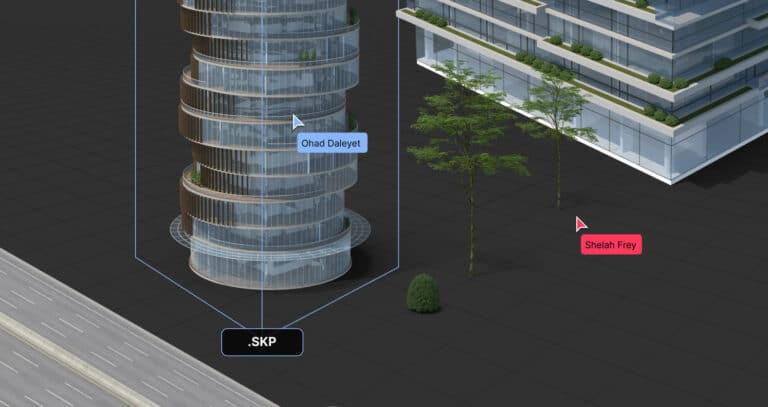
What is an SKP file?
SKP files, also known as SketchUp file formats, are the proprietary file format of SketchUp, a powerful and user-friendly 3D modeling software. These files serve as containers for 3D models created within the SketchUp environment, holding various data that define the model's attributes.
Technically, the SKP file type is a binary file that stores geometric information, textures, lighting conditions, layer organizations, and viewport arrangements necessary for reproducing the 3D model it represents.
How SKP files are used in 3D modeling
SKP files find their application across various industries and domains where 3D modeling is integral.
In architecture, an SKP file serves as a detailed virtual representation of a building design. For interior designers, an SKP file allows for exploring spatial layouts, furniture arrangements, and lighting conditions.
Industrial designers use SKP files to develop and refine product designs. In landscape architecture, an SKP file provides the basis for designing an outdoor space.
How to open SKP files in SketchUp
Opening a SKP file in SketchUp is as simple as clicking "File" > "Open" and selecting your file. This is the most intuitive solution if you have the software installed and need to return to the 3D modeling stage.
How to open an SKP file in RealityMAX
Not everyone needing to open the SKP file format has access to SketchUp or might not need its extensive 3D modeling capabilities. This is where RealityMAX comes into play as an integral part of the workflow for opening and utilizing an SKP file.
The first step is to convert SKP files. The best option is to export them from the SKP file format into the Collada format, which guarantees the best results on RealityMAX.
To do this, open the SKP file in SketchUp, click on the "File" menu, select "Export," then choose "3D Models." A window will pop up where you can select the Collada file format from a dropdown list of file types.
The default export settings that SketchUp suggests are sufficient, so you can go ahead and click on "Export."
You will end up with a ZIP archive, including the .dae document and all other assets (.dae, digital asset exchange, is the Collada file extension). At this point, just drag the ZIP to a scene on RealityMAX to upload it in seconds.
How to collaborate on SKP format files on RealityMAX
Once you have your SketchUp file in your RealityMAX workspace, you are free to combine it with other objects, apply different materials and textures to it, and transform it as you need.
More interestingly, you can invite teammates to collaborate, edit the file in real time, and leave and receive comments.
You can also share a preview of your work as a Web 3D or augmented reality experience, accessible to anybody without downloading additional software. Or embed it as an interactive 3D warehouse into any web page.
In summary, when it comes to opening a SketchUp document and expanding its potential, RealityMAX provides a comprehensive solution. Its blend of functionality and accessibility enhances how professionals open SKP files and handle them, ensuring a seamless experience from visualizing the file to sharing the final results.
Expert tips and tricks for working with the SKP file format
Working with an SKP file, like any other professional digital file, can sometimes present challenges. The following tips and tricks can help you handle an SKP file more efficiently and effectively.
Leverage the power of layers
In SketchUp, layers become extremely useful when dealing with complex models. They allow you to organize your model into separate components, which can be edited and viewed independently.
This can drastically streamline your design process, making it easier to manage large projects without getting overwhelmed.
Optimize SketchUp performance
SKP files, especially those involving intricate models, can sometimes be resource-intensive, potentially slowing down SketchUp's performance. To counteract this, you can turn off certain features when they're not needed.
For example, deactivating shadows, textures, or other complex rendering effects can increase the software's speed and responsiveness.
Understand version compatibility
SketchUp does not support forward compatibility, meaning you cannot open a newer version SKP file with an older version of SketchUp.
If you need to share a 3D warehouse with the SKP extension with a client or a colleague who uses an older version of SketchUp, save it in a version they can open. It's a minor consideration that can prevent significant complications down the line.
Conclusion
Understanding SKP files and the potential of SketchUp is crucial for anyone working in 3D-oriented fields.
The power of SketchUp, combined with the flexibility of RealityMAX, can significantly enhance both the creative process and collaborative efforts.
Whether you're designing a new building or a piece of furniture or sharing your creations with the world, an adequate grasp of the SKP format opens up a world of possibilities.